Neural Network Wizard
Design a neural network for the markets the visual way — pick its inputs, its prediction target and its architecture — and the Wizard writes the AmiBroker formula language that trains it and plots its prediction on a chart. No black box: the output is plain AFL you can read, edit and backtest.
Windows desktop application · registers with your Toolbox licence
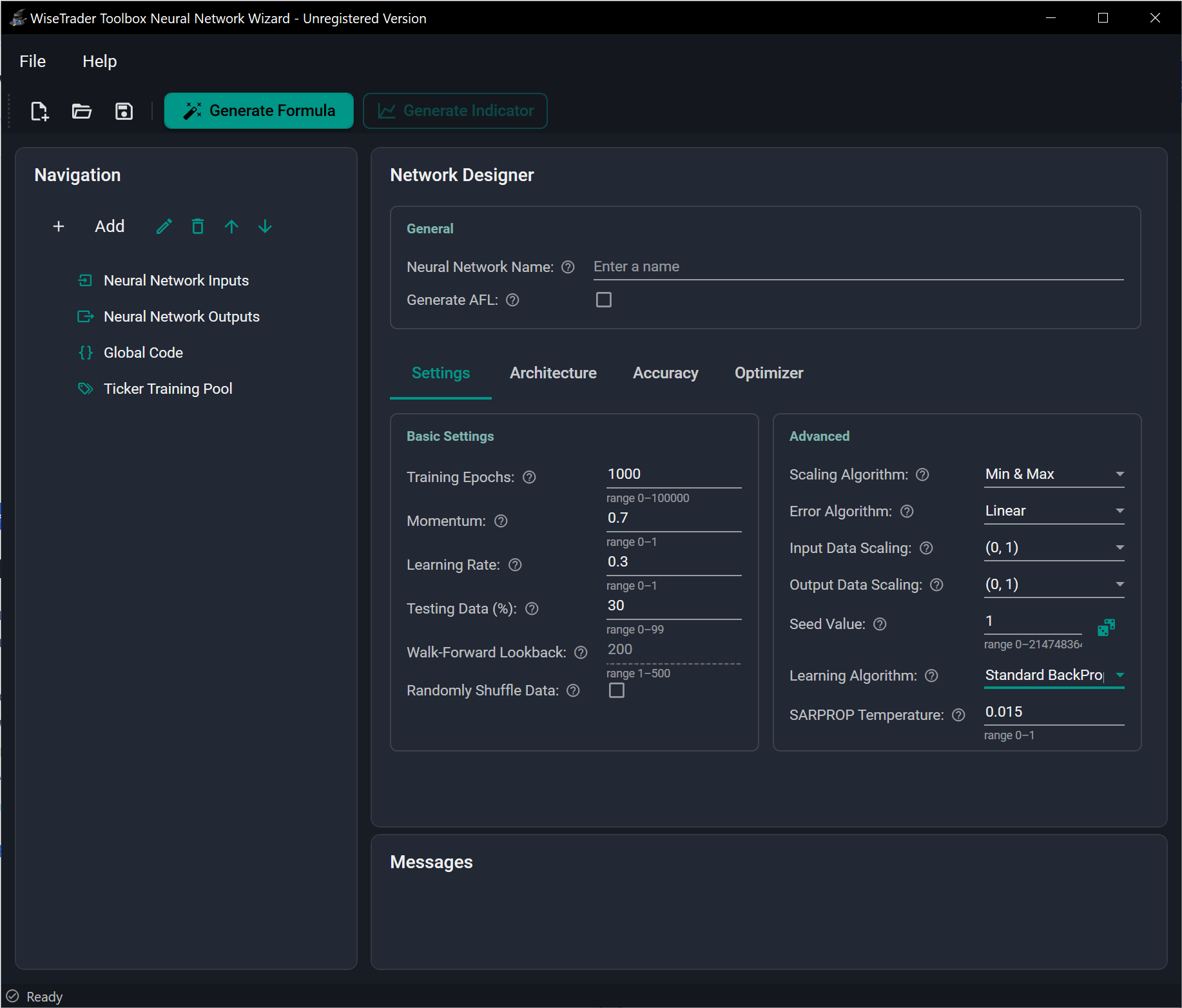
The Wizard is an add-on to the WiseTrader Toolbox — it generates AFL that the Toolbox runs, so you need the Toolbox to use it. If you already own the Toolbox, you can run the Wizard in a limited unregistered mode to evaluate it before buying.
How it works
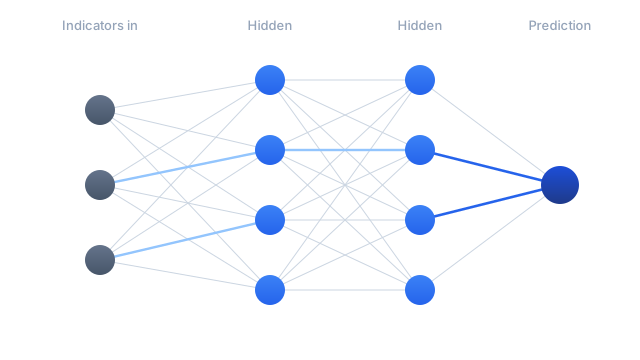
A neural network is a flexible pattern-finder: show it examples of some inputs (today's RSI, the slope of an EMA, yesterday's return) paired with the answer you wish you'd known (the return a few bars later) and it works out how they relate — including the non-linear combinations that are hopeless to write by hand. The Wizard turns that into a three-step loop.
Configure
Set the inputs, the prediction target and the network architecture across four tabs — Settings, Architecture, Accuracy and Optimizer.
Generate
Click Generate Formula. The Wizard validates the design and emits the AFL — a self-contained Combined Formula, or a separate train/indicator pair.
Train & plot
Paste it into AmiBroker. It trains the network and writes the weights to a file, then plots the prediction as an indicator or a signal for a larger system.
Standard, or adaptive walk-forward
You pick the operating mode up front, and it shapes everything that follows.
Trains once on a block of history — split into train and test sets, across a pool of symbols if you supply one — then reuses the saved network. The flexible choice, and the only mode that supports recurrent models and network-to-AFL export.
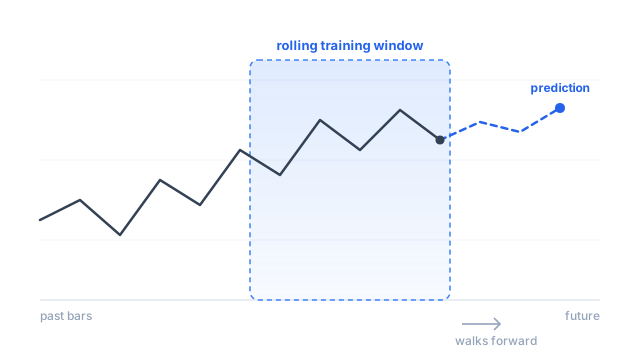
Re-trains on a rolling window of recent bars as it walks along the chart, so the model keeps adapting to the latest market behaviour. Every prediction sees only past data, so it is genuinely out-of-sample at every bar. More adaptive, heavier to compute, single-symbol.
Describe what it learns from
Inputs are any AmiBroker series you can compute — indicators, lagged prices, returns, volume behaviour, the distance of price from a moving average. Outputs are what it learns to predict, some number of bars ahead. Ready-made templates fill in the AFL for common choices so you needn't write it by hand.
- › Input templates: EMA, RSI, MACD, raw OHLC — or paste your own AFL.
- › Lag an input across recent bars to give a memory-less network a short rolling history.
- › Use Percent Change to feed a stationary, scale-free signal that generalises across symbols and time.
- › Choose a forecast horizon — the bars-ahead the output predicts — and plot it shifted to line up with the bar it forecasts.
- › Regression targets (a future return) or Optimal-Signal templates that mark ideal turning points from pivots or a zig-zag.
Three architectures
Choose the model type and lay out its hidden layers. The feed-forward MLP is the robust default; the recurrent models read a window of bars in order and suit sequence-aware predictions.
Recurrent models are Standard-only; set the hidden size, layers and sequence-length window.
Training you control, in detail
Every dial that matters is exposed and explained in the documentation — but the defaults are sensible, so you can also leave most of them alone. The Wizard exposes the same configuration the Toolbox's neural engine offers.
Training algorithms
From classic back-propagation and the resilient-propagation family (RPROP, iRPROP+, SARPROP) to the modern Adam family — Adam and AdamW with decoupled weight decay. iRPROP+ is the robust set-and-forget default.
Out-of-sample testing
Hold back a share of bars as unseen test data. The trainer keeps the network that scores best on that held-out slice, so you can see overfitting before it costs you.
Anti-overfitting controls
Early stopping, dropout, weight decay, gradient clipping and weight initialisation (Xavier / He) — the regularization that keeps a network honest on noisy market data.
Data scaling & error
Min/Max or Mean/Std scaling into a range you choose; Linear, TanH or robust Huber error. A fixed seed makes a run reproducible for fair comparisons.
Learning-rate schedules
Optionally decay the learning rate over the run — step, cosine annealing, or SGDR with warm restarts — to settle into a cleaner final error.
Train across many symbols
A Standard network can train across a whole pool of tickers at once for a more robust, general model — something most neural-network software won't do.
Compile a trained network to pure AFL
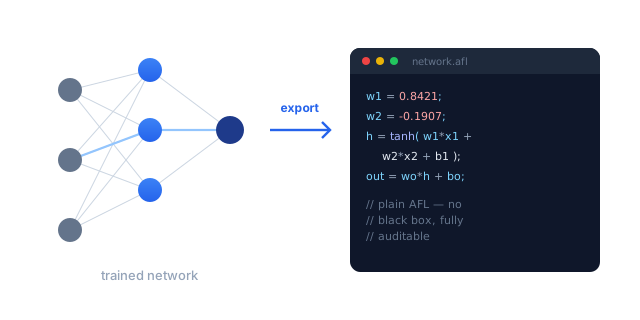
A Standard feed-forward network can be written out as a standalone AFL formula — its weights and activations expressed as ordinary formula language. As far as we know, no other tool does this.
- › Inspect exactly what the network learned — nothing hidden in your backtest.
- › Run the prediction without a loader, and combine it freely with your own buy/sell rules, stops and position sizing.
- › Portable text that moves cleanly between machines.
Export applies to the feed-forward MLP; the recurrent LSTM/GRU models run from a saved network file instead.
Readable AFL you own
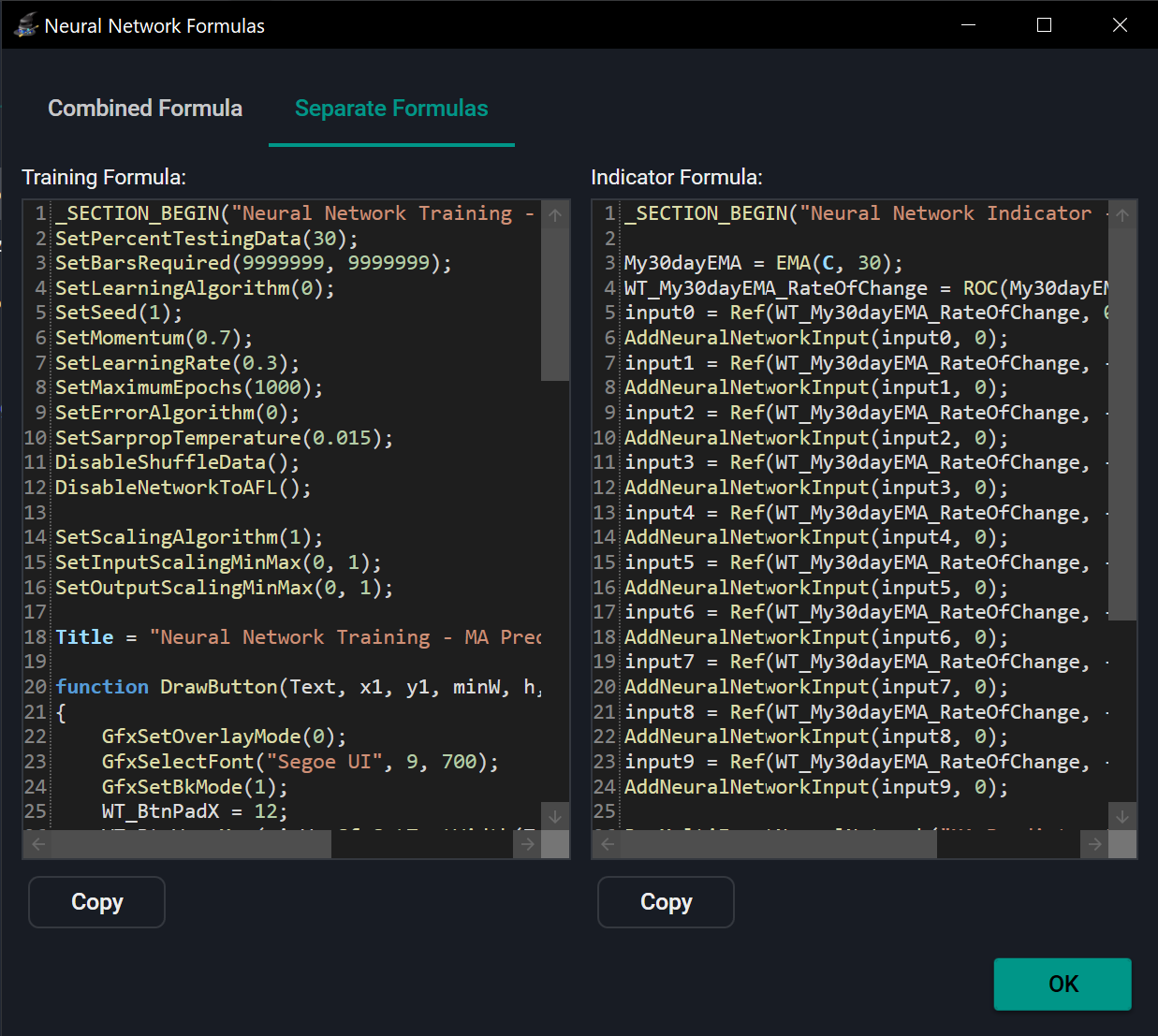
From a single design the Wizard can emit a self-contained Combined Formula — one file you leave on a chart that trains on demand behind a button and plots automatically — or the classic Separate Formulas pair, one to train and one to plot. Both are plain WiseTrader Toolbox code you can edit, fold extra logic into, or feed straight into a backtest.
An honest note. A network gives you a prediction — the start of a trading system, not the end of one. You still decide entries and exits, account for costs and manage risk, and you judge the network on data it never trained on. A gentler, often more rewarding use is to keep a system you already trust and let a network filter its signals. The documentation is candid about all of this.
Neural Network Wizard
USD base price · billed in your local currency, incl. local taxes, at checkout. Requires the Toolbox.
Buy nowDon't have the Toolbox yet? Start with the Toolbox — $299